Frequently Asked Questions

How do I contact TEO?
You can contact TEO via the contact form on our website or by sending an email to info@teo.training.
Is TEO secure and ISO 27001 certified?

Yes, TEO is ISO 27001 certified and follows strict security standards to ensure your data is protected at all times.


I have a technical problem.
You can report a technical problem with the TEO platform via support@teo.training.
Describe your problem as clearly and specifically as possible, and include some screenshots if you can. Our colleagues will assist you as soon as possible.
How does TEO handle my personal data?
All details regarding privacy and GDPR can be found here: https://teo.training/nl/privacy.
Can I start any course that I find interesting?
Courses can have a certain status; a company can choose to assign courses to specific teams or individuals, or to make a course publicly available. Public courses can always be started.


Are there courses you are interested in but which are not public? Then contact the internal responsible person for the course in question and ask if you can take the course.


Will I receive a certificate or proof of completion?

The administrator of the course, assessment, or job posting can choose to link a certificate to it. If this is the case, you as a student will receive this certificate. A certificate shows that you have completed the content, and it may include a score.

What do I do if I don't know the answer?
You can always skip the question. Answering is not mandatory. However, you will not receive points for that question, and this will affect your final result.


Where can I set the language of the platform?
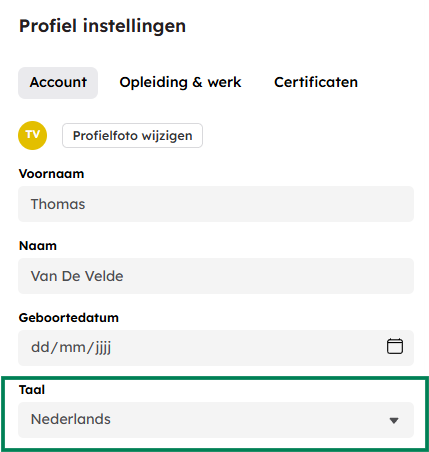
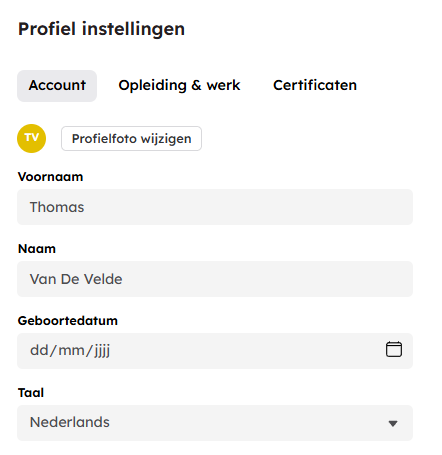
You can set the language of the TEO platform via your profile.

To see how to access your profile, you can refer to the FAQ "How do I manage my profile?".


You can choose from Dutch, French, English, and Spanish.


Green: Selection field to choose your language.

How do I manage my profile?

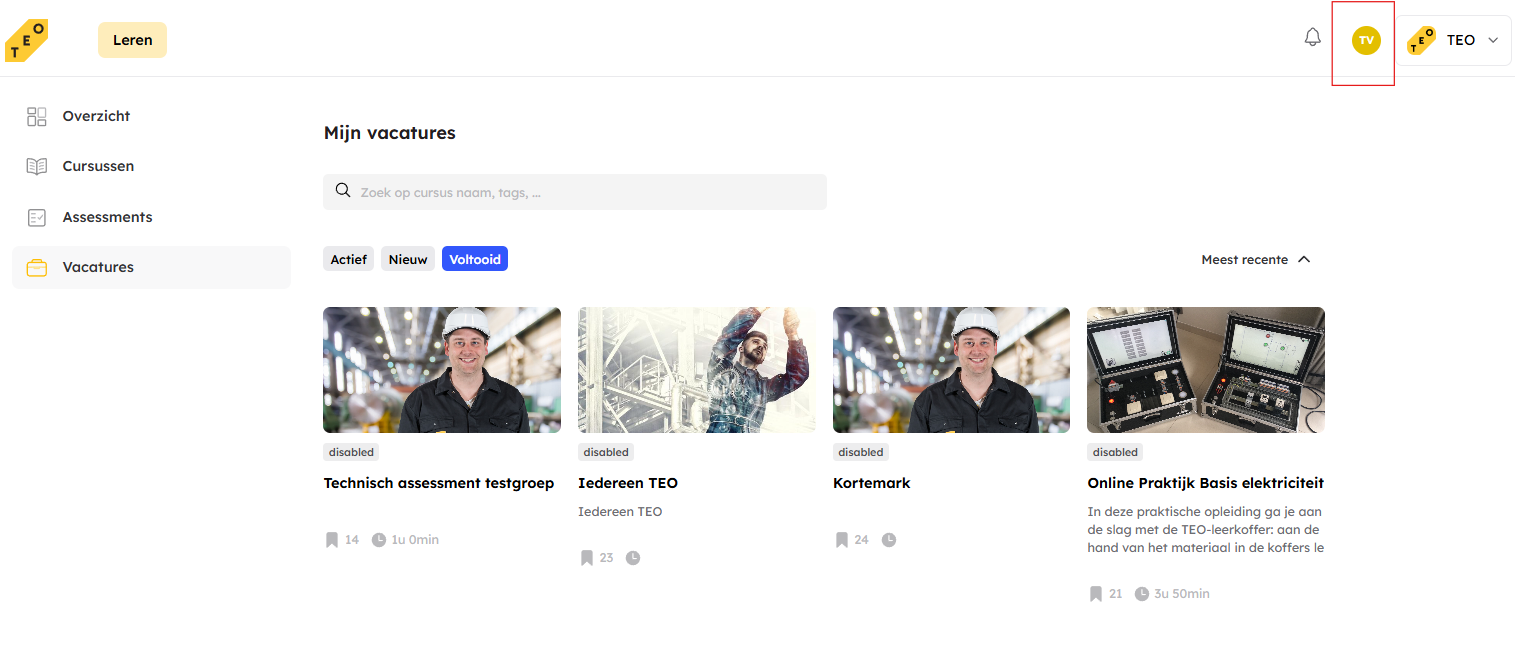
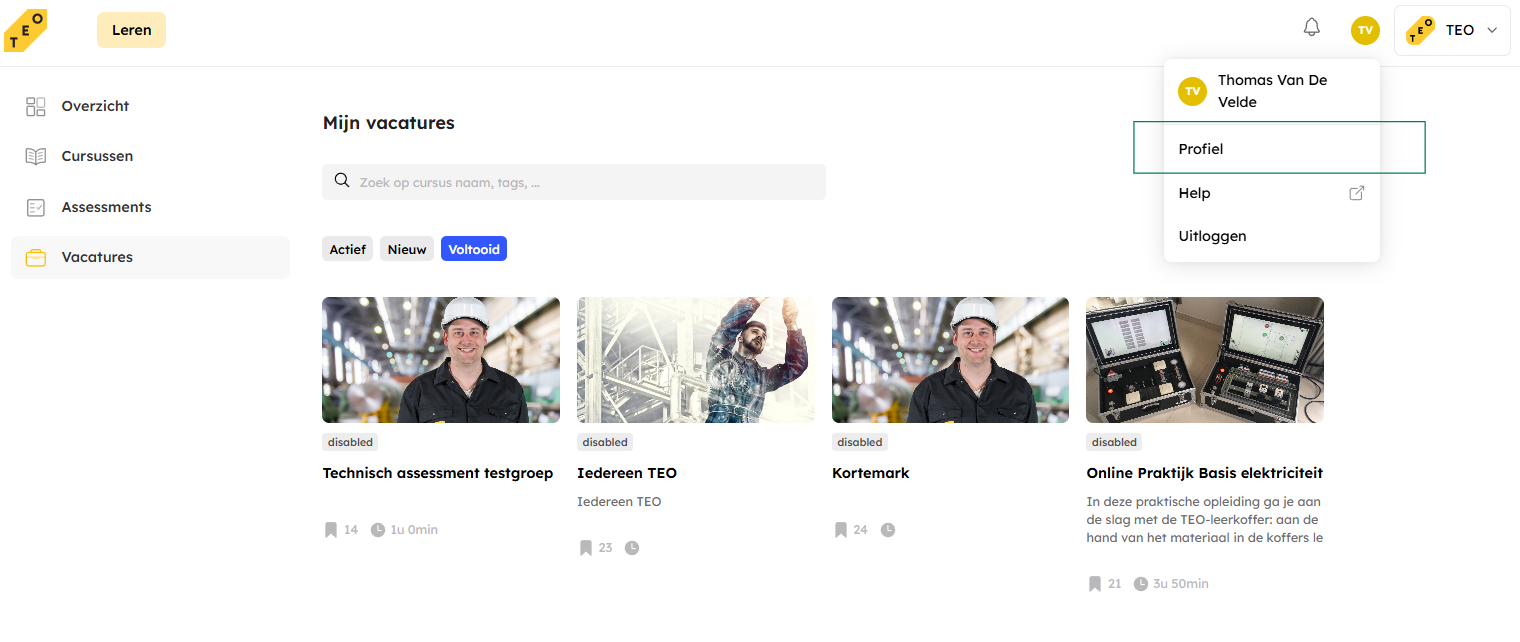
Via the icon with your initials, you can navigate to your profile.

This icon is located at the top right on the TEO platform.

Red: Click on this icon to access several options.

Green: Click on "Profile" to go to your profile.

On this page, you can manage your profile.

How can I log in to the TEO platform?
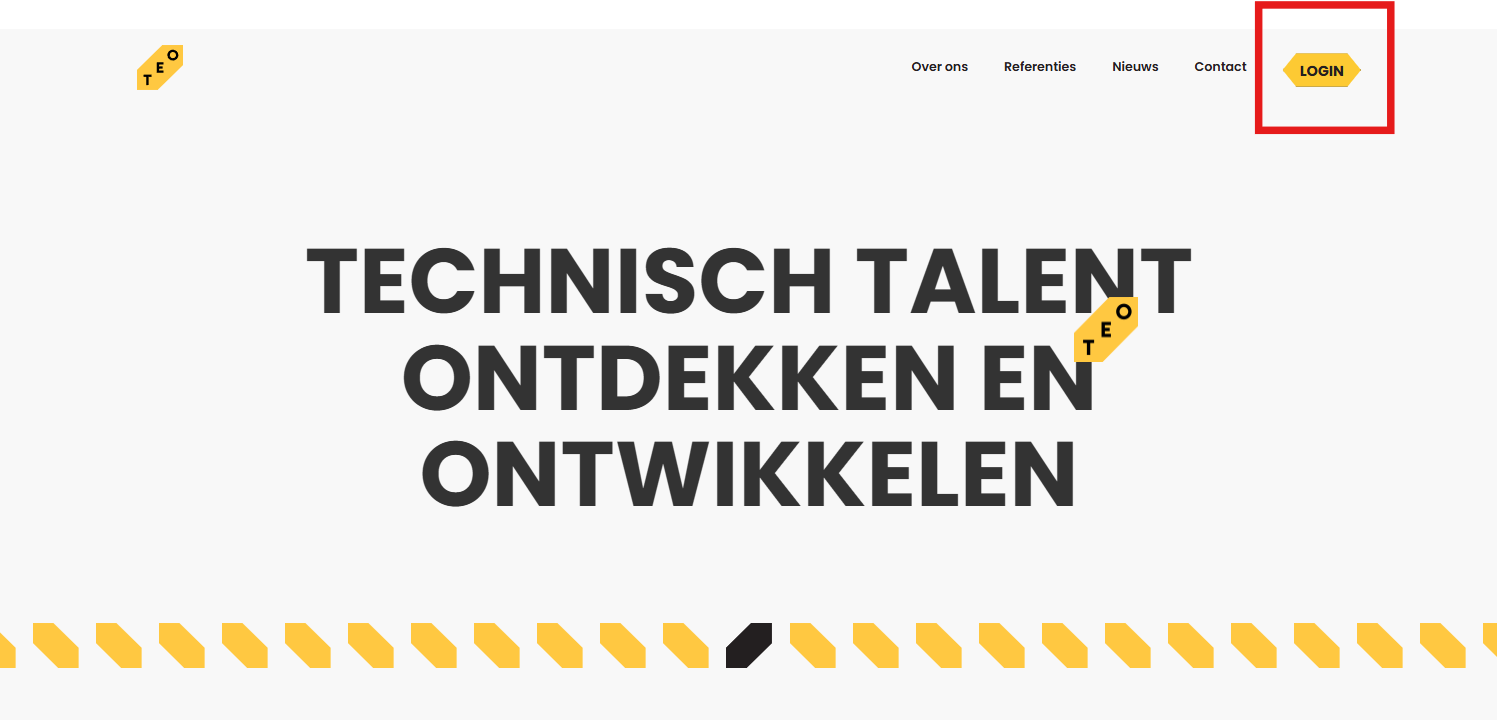
Navigate to www.teo.training.

Click on the "Login" button at the top right of the website.

Red: Login button


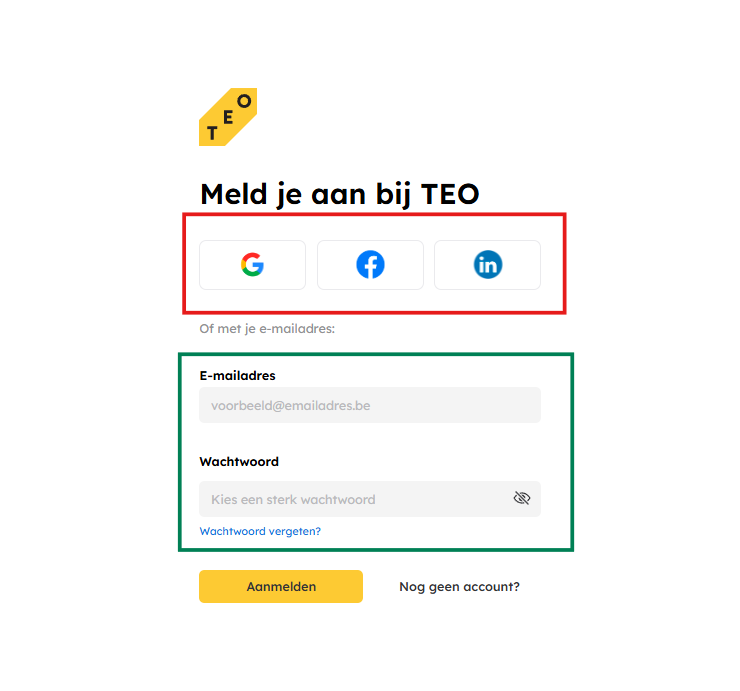
Red: Log in via one of your social media profiles.

Green: Log in via your email address. This must be the email address on which you originally received the invitation to participate in TEO. This could, for example, be your work email address.

When will I receive the results of a test?

This depends on several factors.


Type of content:


The type of content determines whether you as a student can view the results or not. For courses and job postings, you as a student can view your results yourself. This is not the case for assessments.


Type of questions:


Does your course or job posting only contain closed questions? Then you can review your results immediately after submitting the lesson.

The following question types are closed questions: multiple-choice question, matching question, fill-in-the-blank question, matrix question, naming question.


Does your course contain open questions that a trainer or teacher needs to review to assign a score? Then you will have to wait until the trainer or teacher has graded your exercises. The following question types are open questions: open question, file upload question.


What services do you offer?

Simply follow the instructions included in the packaging or on our website. It’s easy to use and requires no special tools or skills.

How do I contact TEO ?

Simply follow the instructions included in the packaging or on our website. It’s easy to use and requires no special tools or skills.

Is this product safe to use?

Simply follow the instructions included in the packaging or on our website. It’s easy to use and requires no special tools or skills.

Does the product come with a warranty?

Simply follow the instructions included in the packaging or on our website. It’s easy to use and requires no special tools or skills.

How can I clean or maintain the product?

Simply follow the instructions included in the packaging or on our website. It’s easy to use and requires no special tools or skills.

Interested?

Book a TEO demo and discover practical, real-world industrial training.